Skip to content

Everything Sano Godam does

One app for the counter, the godam and the owner’s desk. Each picture shows one part of it at work.

At the counter

Billing

A bill in a few seconds, from a PC, a tablet or a phone.

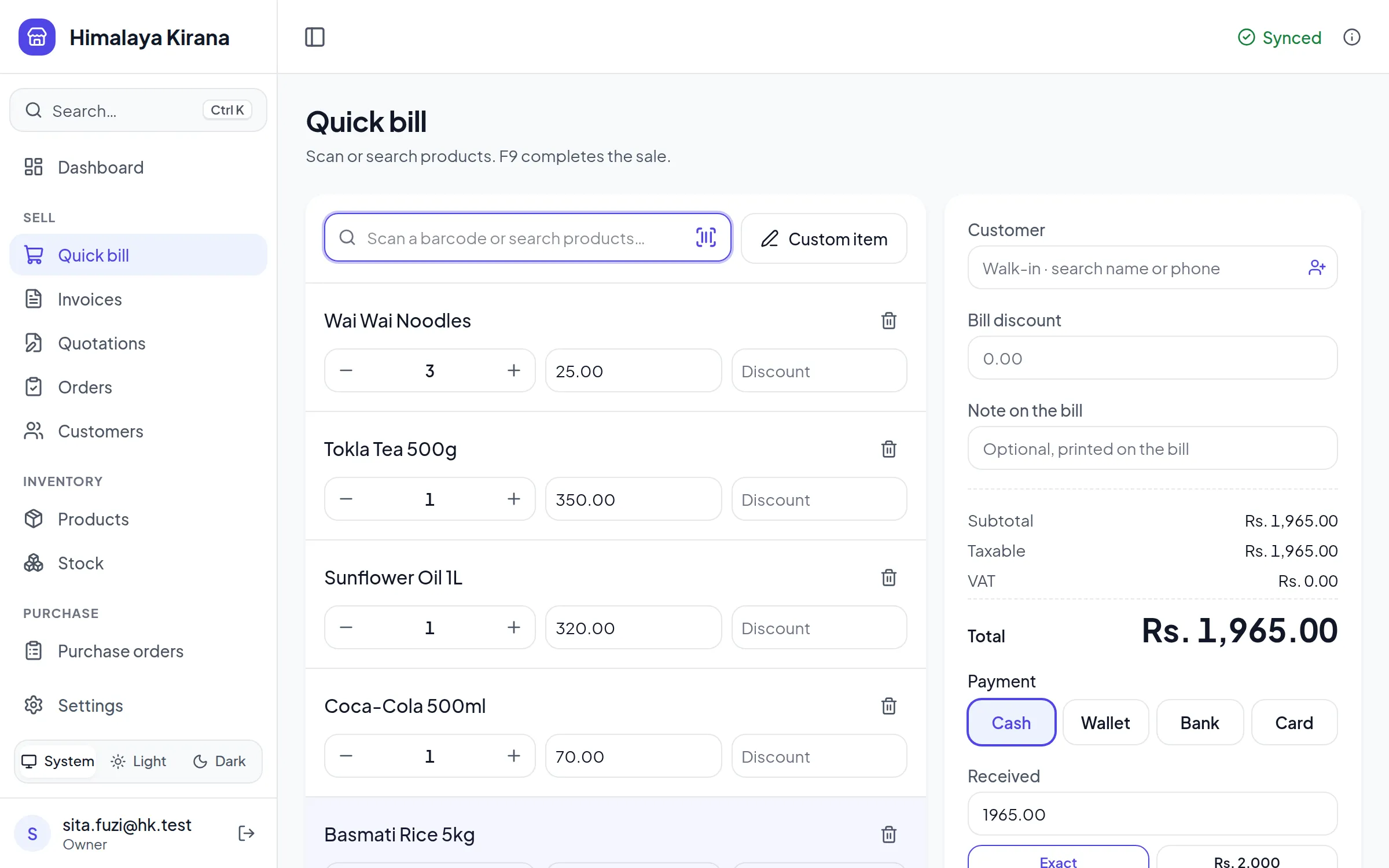
Quick bill
Scan or type a few letters, change the quantity, press F9. Discount and round-off are worked out.
Any way of paying
Cash, card, wallet or bank, or put the bill on a customer’s account.
Receipt or A4
Print an 80 mm receipt or an A4 bill, or send the customer a link to it.
Your logo on the bill
Add your logo once. A4 bills show it with the amount in words and a QR that checks the bill is real.
Print or save
Print, download the bill as a PDF, or share the PDF from your phone to WhatsApp. A reprint says COPY OF ORIGINAL.
Wholesale and pack prices
A second price for wholesale customers, a price for a box of twelve, and a lowest price staff may not go under.
Items not in your list
Bill something you have not added yet as a custom item, and say later which product it was.
Scanning

The phone’s camera is the scanner. A USB scanner works too.

Scan to bill
Point the camera at a barcode and the product is on the bill. It works on Android and iPhone.
Scan to add a product
A new code opens the product form with the barcode filled in, and suggests a name and brand when it is a known product.
Zoom, focus and light
For small codes and dim shops: zoom, tap to focus and the phone’s light, where the phone has them.
Serial and batch numbers
Scan them in when goods arrive instead of typing them.

Udharo

Who owes what, without opening a register.

Sell on credit
Take part of the money now and the rest later. Each payment goes against its bills.
A status on every bill
Paid, Part paid, Unpaid or Overdue, with what is still due, and a filter to see only those.
Returns
A finished bill is never edited. A return is a credit note, and it can put the goods back in stock.
Customer statement
A running statement for each customer: bills, payments and what is owed, shared as a PDF or a spreadsheet.

In the godam

Stock

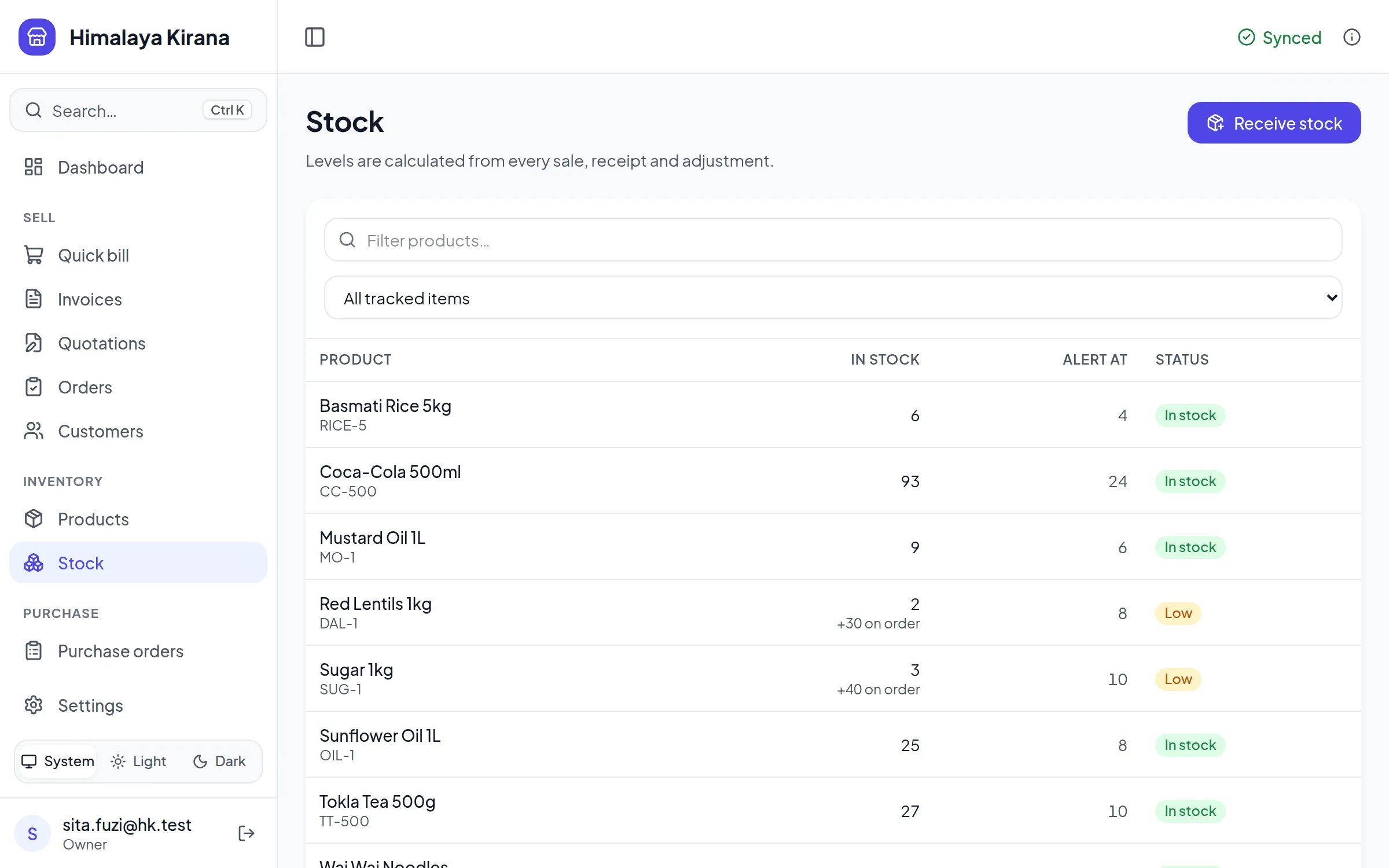
Stock is worked out from every sale and delivery, never typed over.

Low stock
Set an alert level for each product. Low items show on the dashboard and in a daily email.
Batches and expiry
Stock by batch with its expiry date. The batch that expires first is sold first.
Sizes and colours
One product with its variants, each with its own stock.
Serial numbers
Track each phone or appliance by its serial, with the warranty end date.
Several locations
Several shops or godams in one account, each with its own stock.

Buying

From the order to the supplier to the goods on the shelf.

Purchase orders
A numbered order to print or send. It never changes stock by itself.
Receive what arrives
Take a delivery against the order, in parts if it comes in parts, with the supplier’s bill number.
What is still to arrive
The stock list shows what is on order, and the dashboard what is waiting to arrive.
Suppliers
Each supplier has a page with their orders and deliveries.
Approvals
Orders above an amount wait for a manager or the owner to approve them before they go out. On Growth.
Purchase requests
Staff ask for what they need; an approved request becomes a purchase order in one step. On Growth.
What to order
Products running low, less what is already on order, grouped by their usual supplier with a quantity to order.
Supplier bills and payments
Record a supplier’s bill beside the goods it was for, pay it in parts, and see what you owe each supplier.

Quotations and orders

The paper before the bill, linked to the bills made from it.

Quotations
Numbered, valid until a date, with your terms. The print says it is not a bill.
Orders
Turn a quotation into an order. Stock promised to customers shows on the stock list.
Bill in parts
Make one bill or several from a quotation or an order. It always shows what is left to bill.

For your kind of business

Restaurants and cafés

The bill stays open on the table until the guests pay.

Tables
Free or seated, with guests, the running total and the server. Move, merge or split a bill.
A menu with photos
Tap dishes to build a round. Each tile shows its count, and one button adds the round to the order.
Kitchen and bar tickets
One ticket for each station, with notes like “less spicy”. The kitchen marks it preparing, then ready.
QR ordering
Guests scan the code on the table, order and follow their order on their phone. A waiter accepts each round.
Takeaway and delivery
A takeaway is paid at pickup. A delivery goes out with its bill and rider, and cash on delivery is collected from the rider later.
Recipes
A plate of momo takes its flour and chicken out of stock. Ingredients are kept apart from the menu.
A server for every table
Each table has its server. Calls and food that is ready go to them first, and to everyone after a wait you set.
Alerts with the app closed
A locked phone buzzes for its tables, like a message.
See the restaurant page

Workshops and repair

Labour and parts on the same bill.

Services
An oil change or a wheel alignment is an item with a price and nothing to count.
Labour by the hour or the job
Bill 1.5 hours of labour next to the parts it used.
A quotation for the job
Give the customer a quotation, then bill from it when the work is done.

At the owner’s desk

Reports

The month at a glance, and the detail in Excel.

Dashboard
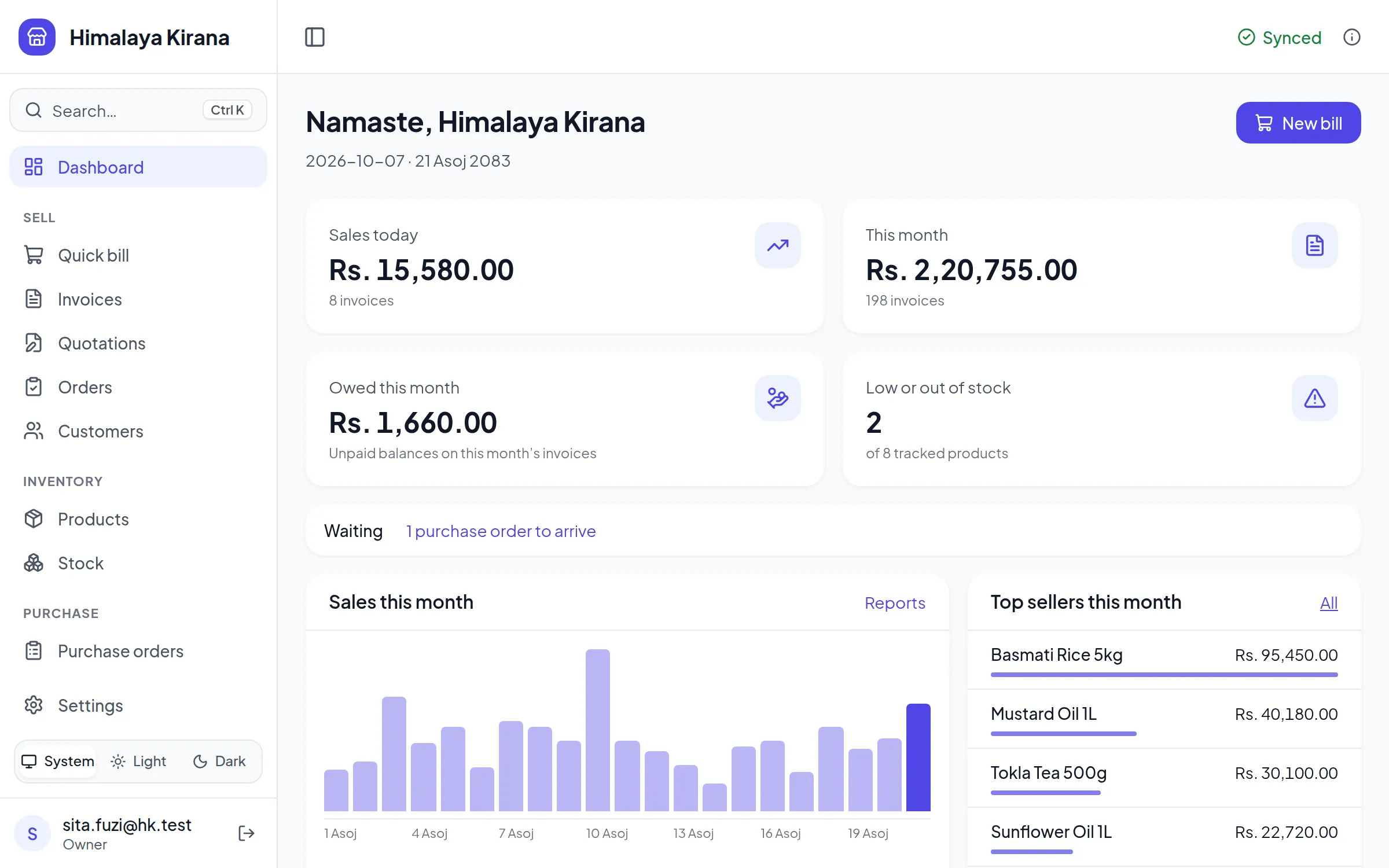
Today’s sales, the month as a chart, top sellers, money owed and what needs restocking.
Sales, profit and stock value
By day, by product and by month. Profit and costs are for owners and admins only.
Dues and VAT
What customers owe by how old it is, and VAT collected by month.

Team and devices

Everyone on their own device, each seeing what their job needs.

Roles
Owner, admin, manager, staff, waiter and viewer. Each role sees and does only what it should.
Works offline
Each device keeps a copy of the shop. Bills save at once and sync when the internet is back.
Every device a counter
Each counter numbers its own bills, so two counters never clash, even offline.
Alerts on your phone
Orders waiting for your approval the moment they arrive, and one morning summary: low stock, money due, orders arriving.

Setting up

From a price list in Excel to the first bill in an afternoon.

Import from Excel
Download a sheet made for your kind of business, with your own units, and import thousands of products.
Nepali dates
BS, AD or both on screens and bills. The fiscal year runs Shrawan to Asar.
PAN or VAT
Bills are worded for a PAN-only shop or a VAT-registered one, as you set it.

The actual app

The pictures above are drawn to show one thing at a time. These are screenshots of the app itself.

आजै सुरु गर्नुहोस्

Make your thulo godam sano today

Try every feature free for 3 months. It takes a minute to sign up.